
One keystroke, no window
ControlP opens the panel over whatever app you're in, and esc puts it away. Rebind it to anything in settings. Nothing in your Dock, nothing in your way.
PingAsk is a Spotlight-style AI launcher for macOS. Press ControlP, type a question, read the answer, follow up. Then it's gone. Your keys, your models, your machine.
curl -fsSL pingask.app/install.sh | sh
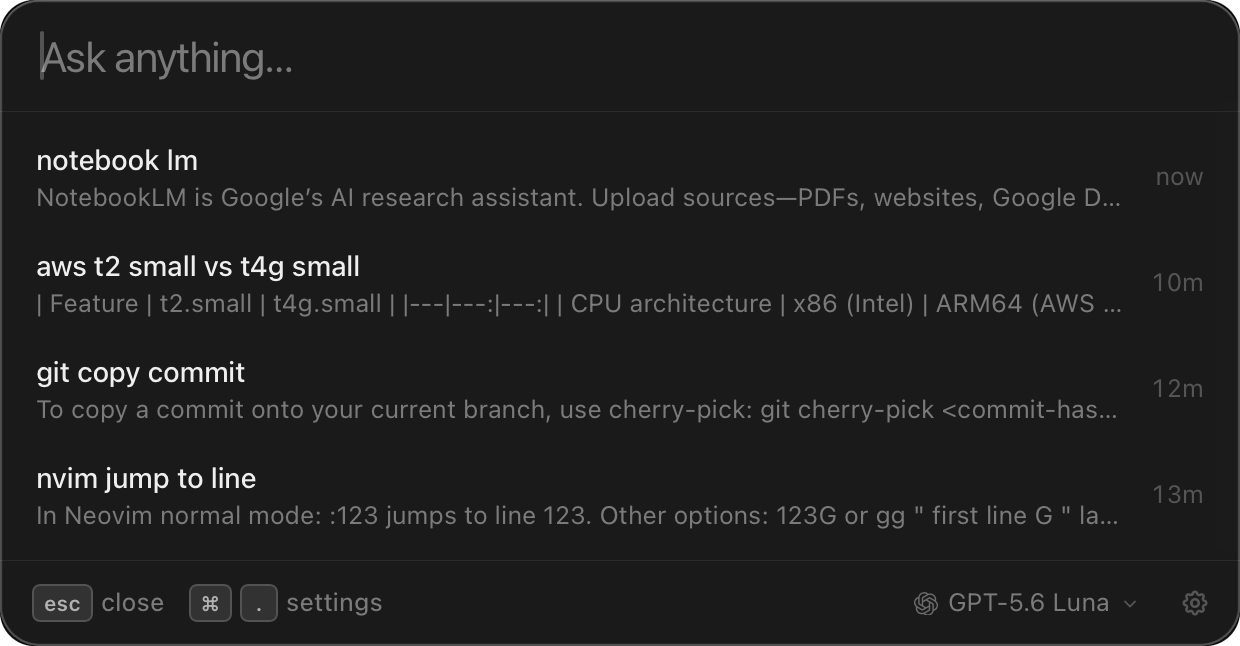
ControlP opens the panel over whatever app you're in, and esc puts it away. Rebind it to anything in settings. Nothing in your Dock, nothing in your way.
Paste an OpenAI, Anthropic or OpenRouter key, sign in with a ChatGPT or Claude subscription you already pay for, or point it at a local Ollama model. Switch per question.
No PingAsk backend, no account, no telemetry. Threads and credentials sit in your app data directory. Requests go straight from your Mac to the provider you picked.
Press Return to keep the thread going. Everything you've asked stays in the list underneath, so old answers work as a cheatsheet instead of vanishing.
Signed and notarized DMG. Drag PingAsk to Applications and press your shortcut.
Download DMG
Fetches the latest release, installs it to /Applications and tells you
the shortcut.
curl -fsSL pingask.app/install.sh | shRequires macOS 11 or later. Updates arrive in-app. Read the install script before you run it. You always should.
Yes. MIT licensed, no subscription. You pay your model provider directly, or nothing at all when you run local models through Ollama.
OpenAI and Anthropic with an API key, ChatGPT and Claude with the subscription you already have, anything on OpenRouter, and any local model in Ollama.
Only to the provider you choose. There is no PingAsk server, no account and no analytics. Keys and threads stay on your Mac.
PingAsk does one thing: ask and answer, with your own key instead of a Pro plan, in a few thousand lines you can read. No extension store, no launcher platform.
macOS only for now. The app is Tauri, so a port is possible; it is not built yet.